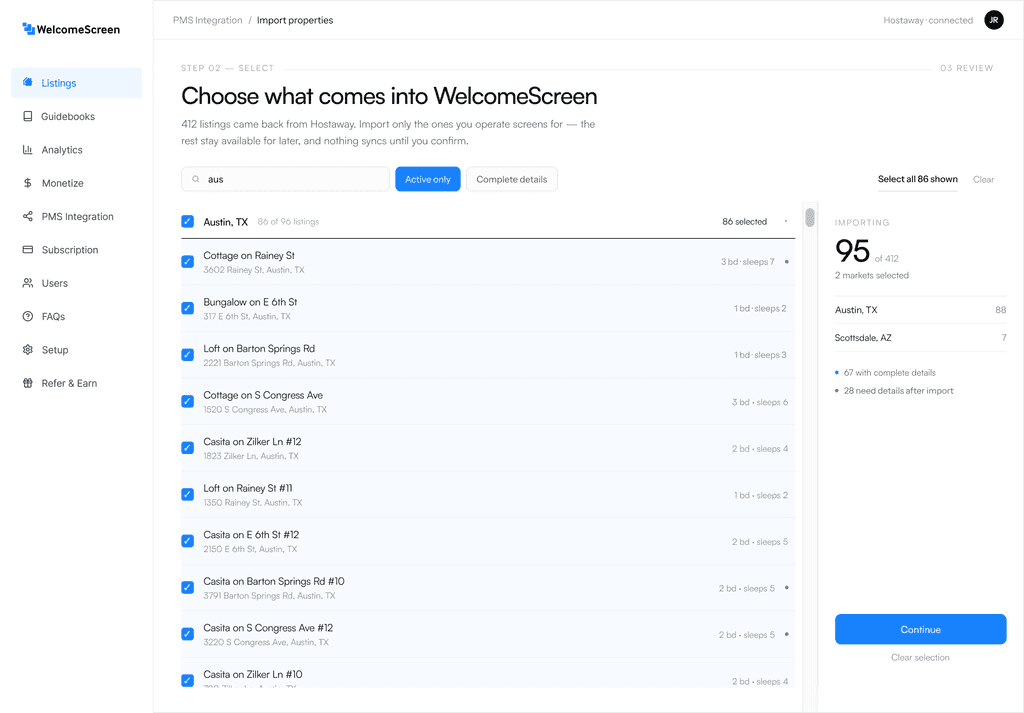
01.Select properties
Hosts often want WelcomeScreen on specific properties only, so the import starts with filtering what comes over from the PMS.
WELCOMESCREEN
/Market Gap Overview
Hotels have used TVs to create curated guest experiences for years. But that required expensive hardware and legacy software built for large operators. Short-term rental hosts had the same TV in every unit and no way to use it.
/Solution
Personalized TV experience guests see the moment they arrive
Manage TV, guidebook, and guest experience from one portal
Guest-facing mobile guidebook with AI-powered welcome
/Signal
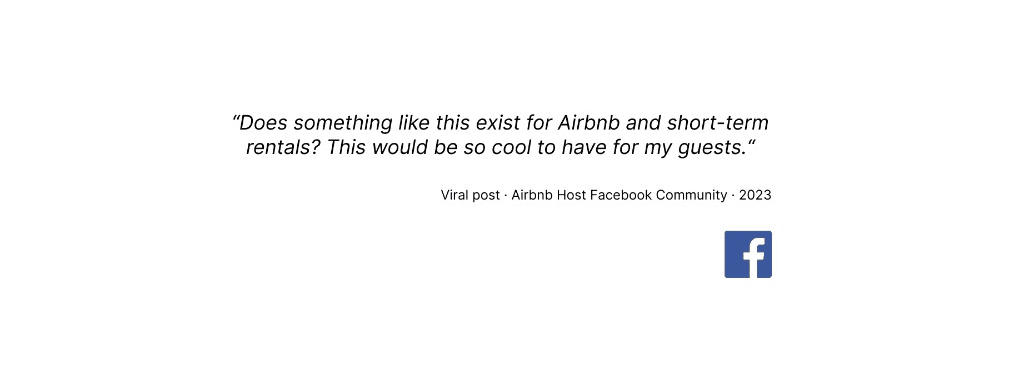
Before any formal research began, a single Facebook post in a short-term rental group revealed something no one had built yet.
The question was never whether people wanted this. The research that followed was about what it needed to deliver, for hosts managing multiple properties and for guests arriving with no context and no instructions.
/Key Challenges
With the user needs and perspective understood, we looked at the key constraints in building the product. There were structural constraints that shaped how we could deliver on what we'd learned. While there were several challenges in creating WelcomeScreen, three core design challenges stood out.
Challenge 01:
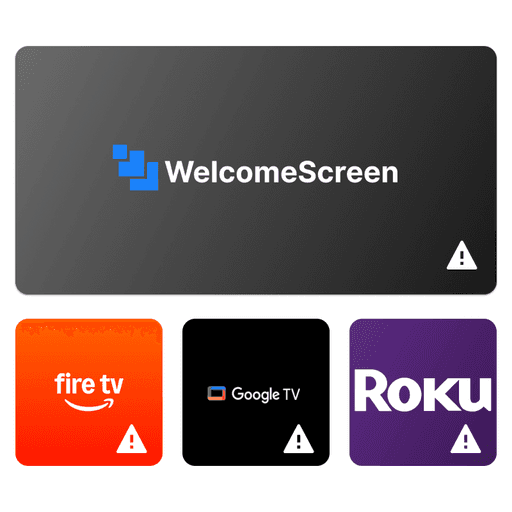
/System Flow
Before designing a single screen, the CTO and I mapped how content would move through the system. We disagreed on a few things and landed on this.
The PMS was the setup path from the start. It already knows every unit, address, and booking, which is why onboarding 500 properties costs about what onboarding one does.
Where we disagreed
/Onboarding
Once a host enters an API key, the PMS supplies everything WelcomeScreen needs to set a property up. That meant a host could see their whole portfolio in the product within a minute of connecting, before typing anything.
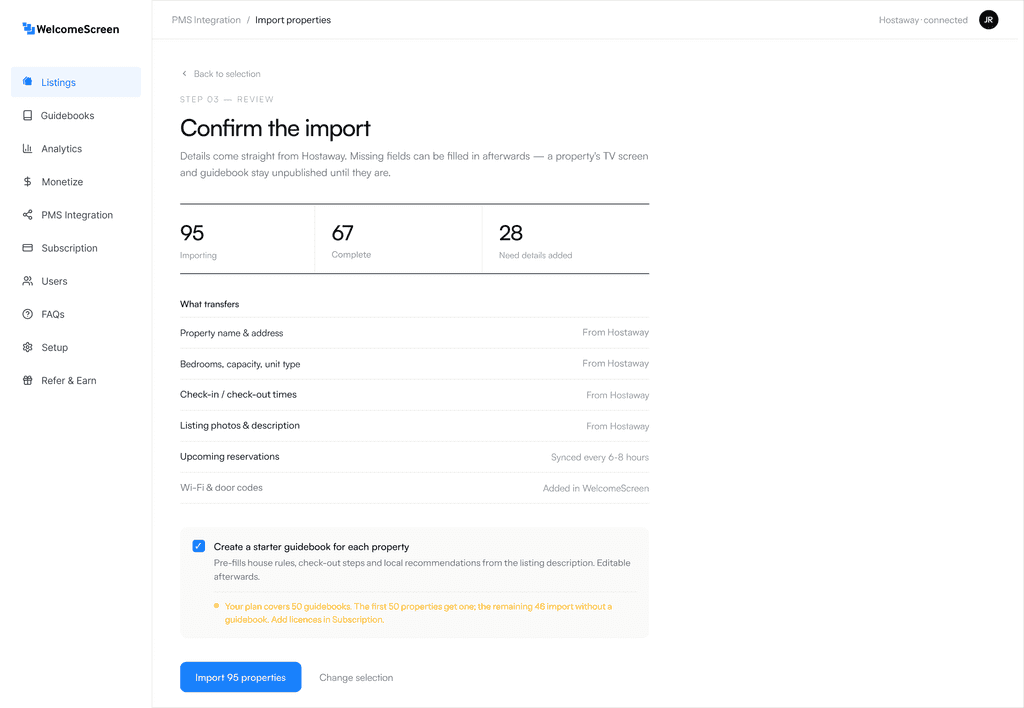
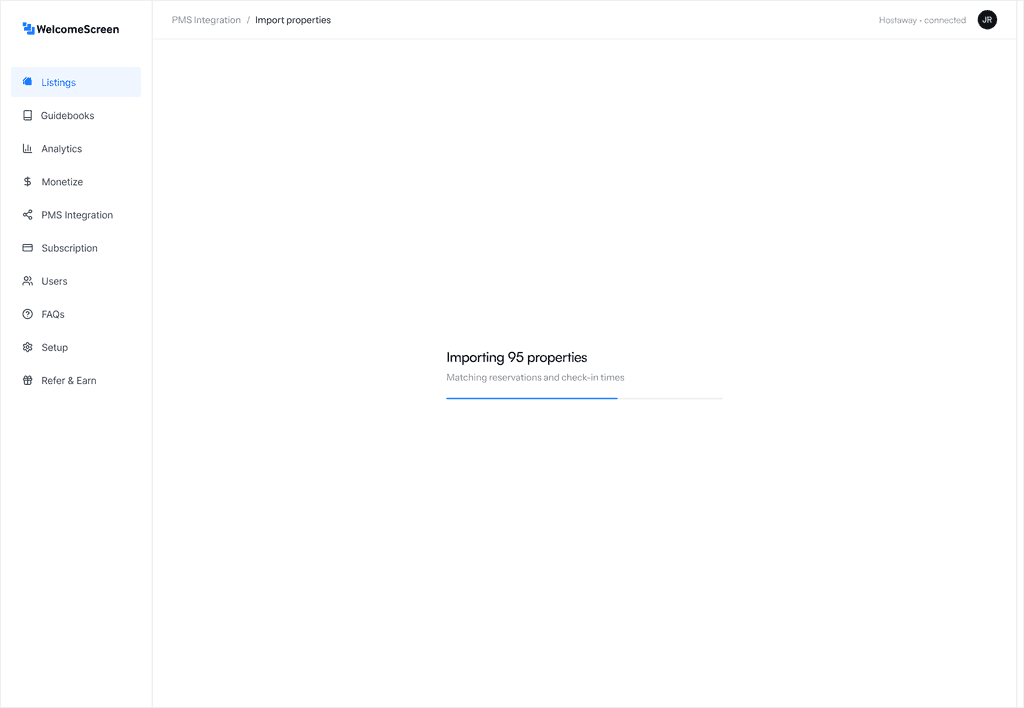
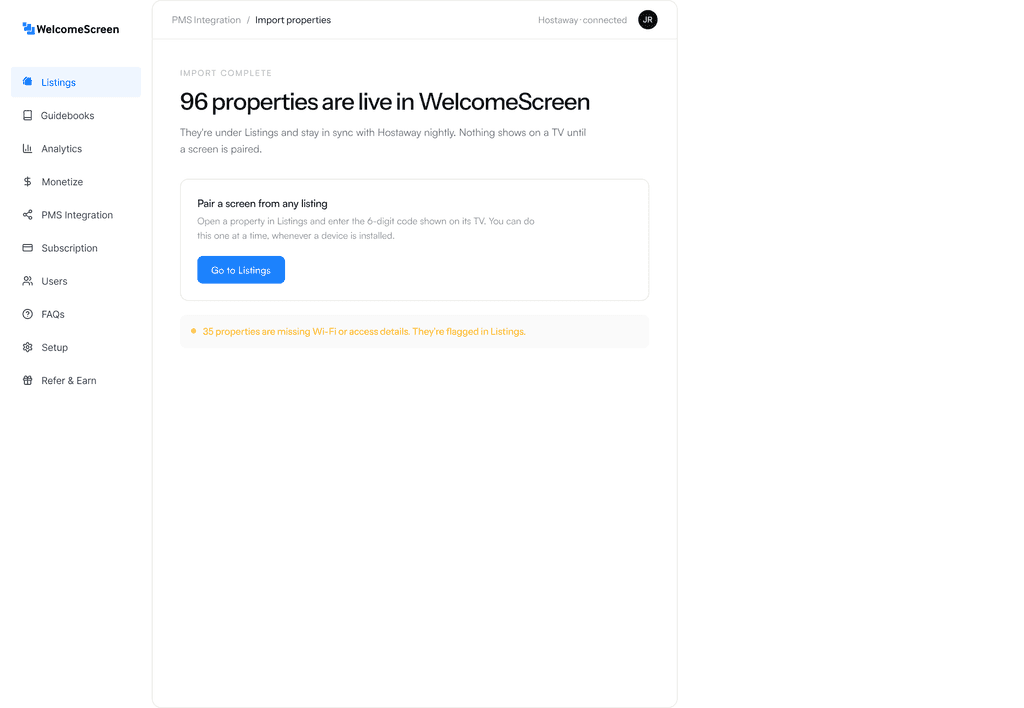
Hosts land here with the portfolio already built. Screens get paired one at a time as devices go in, which keeps setup and installation independent of each other.
/Designing the TV experience
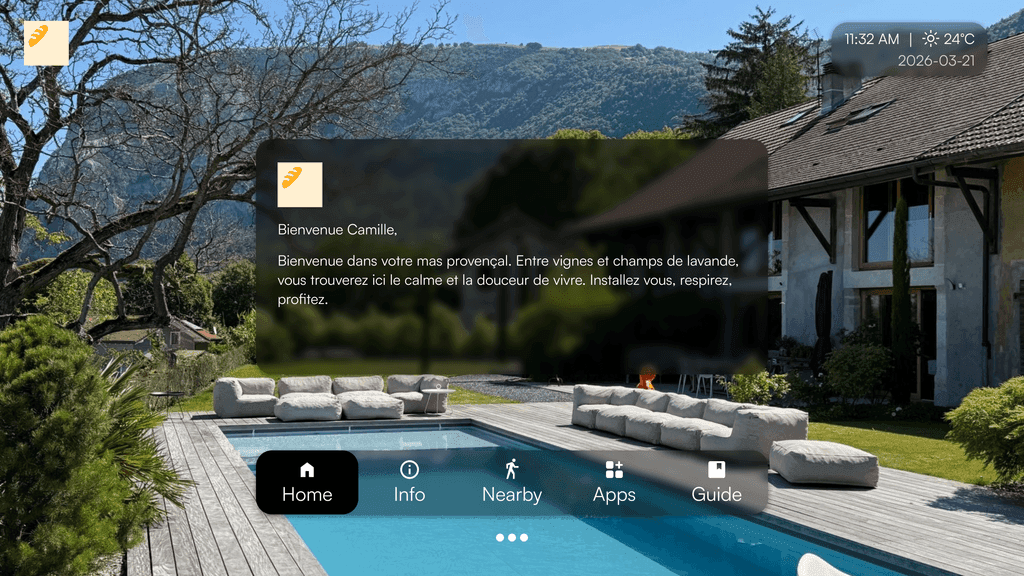
A guest arrives with no account, no instructions, and about ten seconds of patience. A host wants their brand on screen, their own words, their recommendations, across every property they own. Those two things pull against each other, and this screen is where they had to be reconciled.
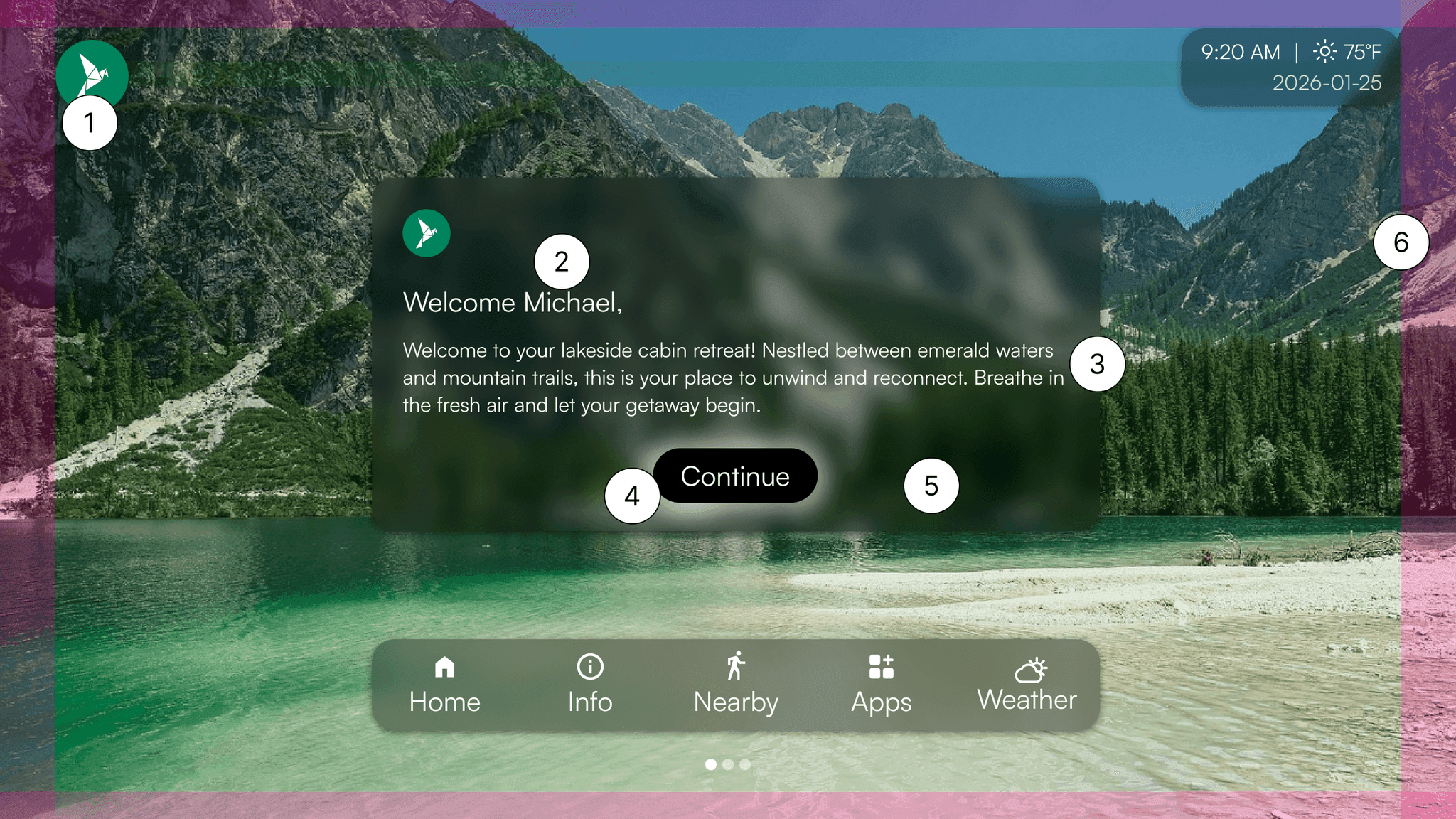
Our first international customer operated in Australia and asked about temperature units. We hadn't considered it, so we added it as an option.
Full localization never became a priority. Most of our customers were in English-speaking countries, and doing it properly meant taking on layout work we couldn't justify. The guest side also leaned on common patterns and icons, so the core functionality worked regardless of the language someone spoke.
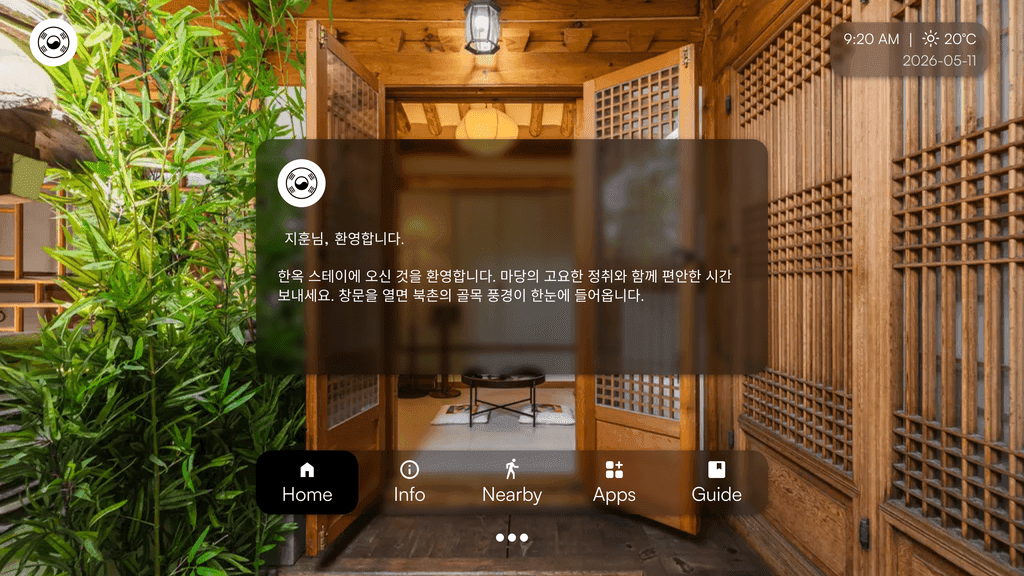
Property managers kept control of what displayed. Units default from the property address and can be overridden, and content appears in whatever language they write in, so a host operating in Korea wrote in Korean and that's what guests saw.
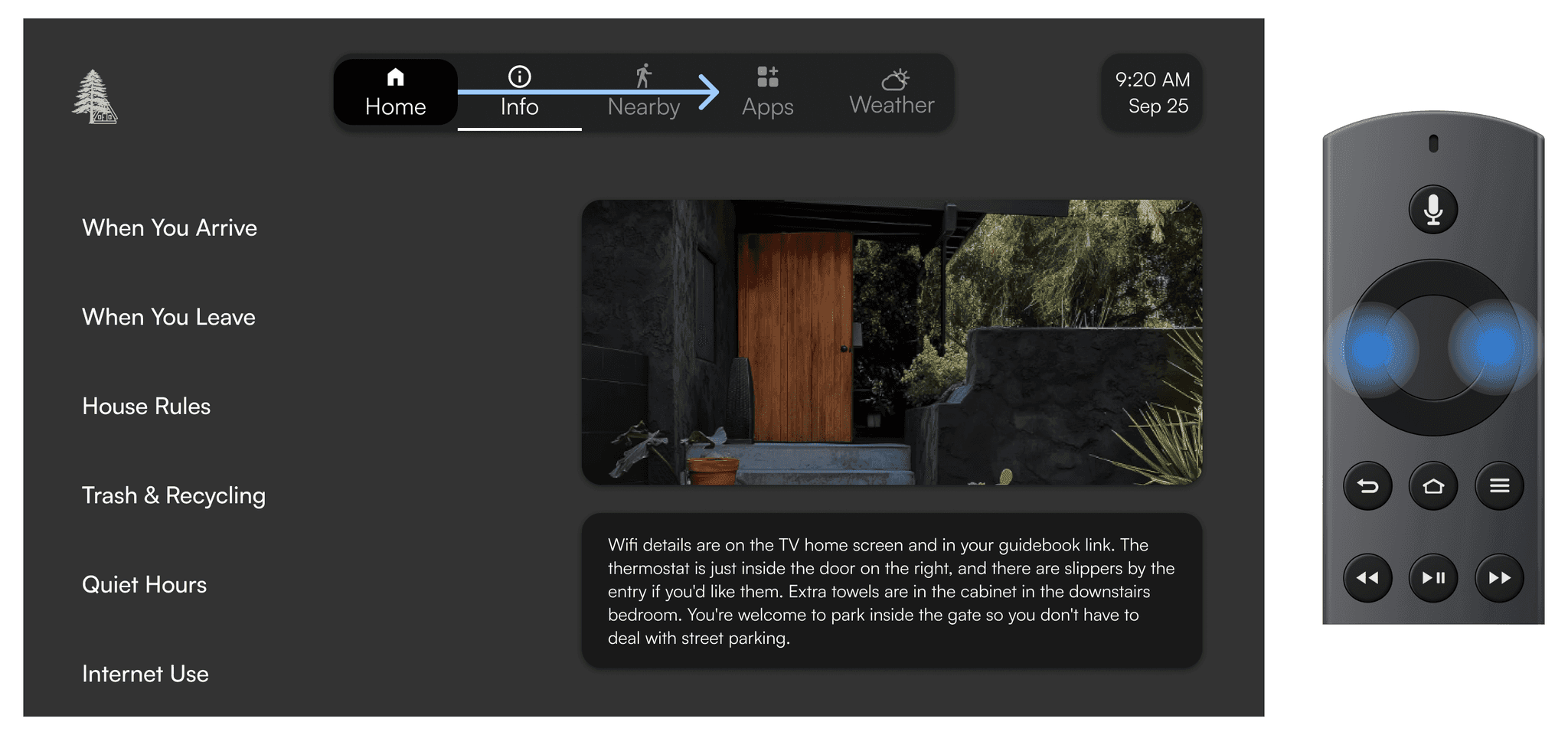
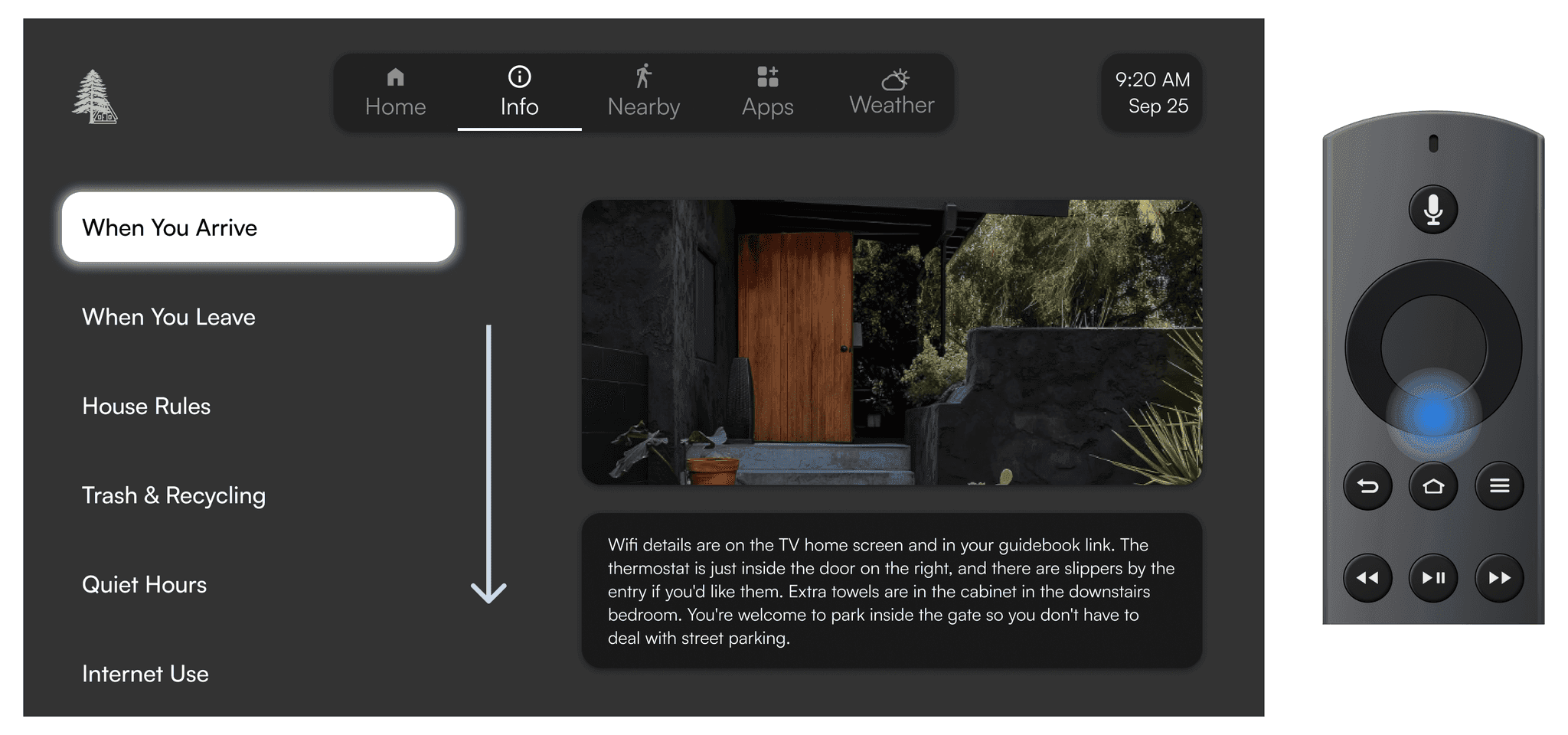
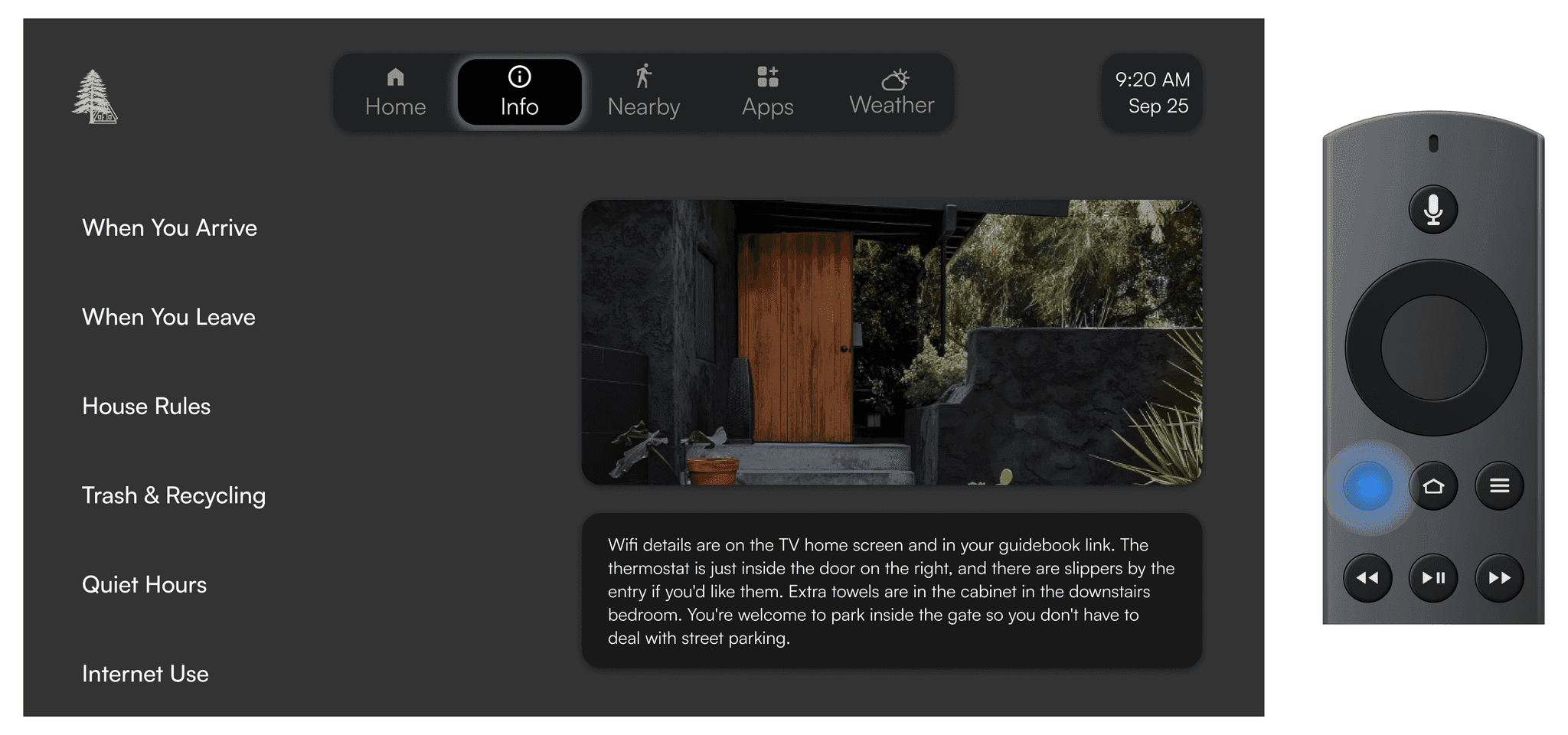
There's no cursor on TV. Focus is always somewhere, only ever on one thing, and a guest moves it one element at a time in four directions. Every action had to sit on an obvious path from wherever they already were.
Every element the host added is one more thing a guest has to move past with four arrow keys. The more control hosts get, the longer the path to what a guest actually came for.
/Incorporating AI features
As the product matured, we became increasingly aware that competitors were beginning to incorporate AI into their offerings. Rather than adding AI for its own sake, we looked at where it could make the biggest impact for our users in the shortest amount of time. Recommendations were the answer. It was the highest friction task hosts faced, it was entirely location dependent, and it was something AI could do better and faster than any host manually could.
Hosts managing multiple properties don't have time to manually research local recommendations for each one. With one click, the system generates property-specific suggestions based on the property's location. Hosts review, curate, and publish. Guests see the result on TV and mobile.
The AI Concierge is live inside the mobile guidebook, guests can ask questions about the property and get answers pulled directly from the host's content. We've since expanded it with local area awareness and photo recognition, with direct host escalation for issues that need a human response currently rolling out.
/Design System
The design system was built knowing it had to work across three surfaces from day one. A large portion of it was shaped in collaboration with our CTO, and the direction we agreed on early was to keep the foundation as simple as possible, because we both knew it would evolve.
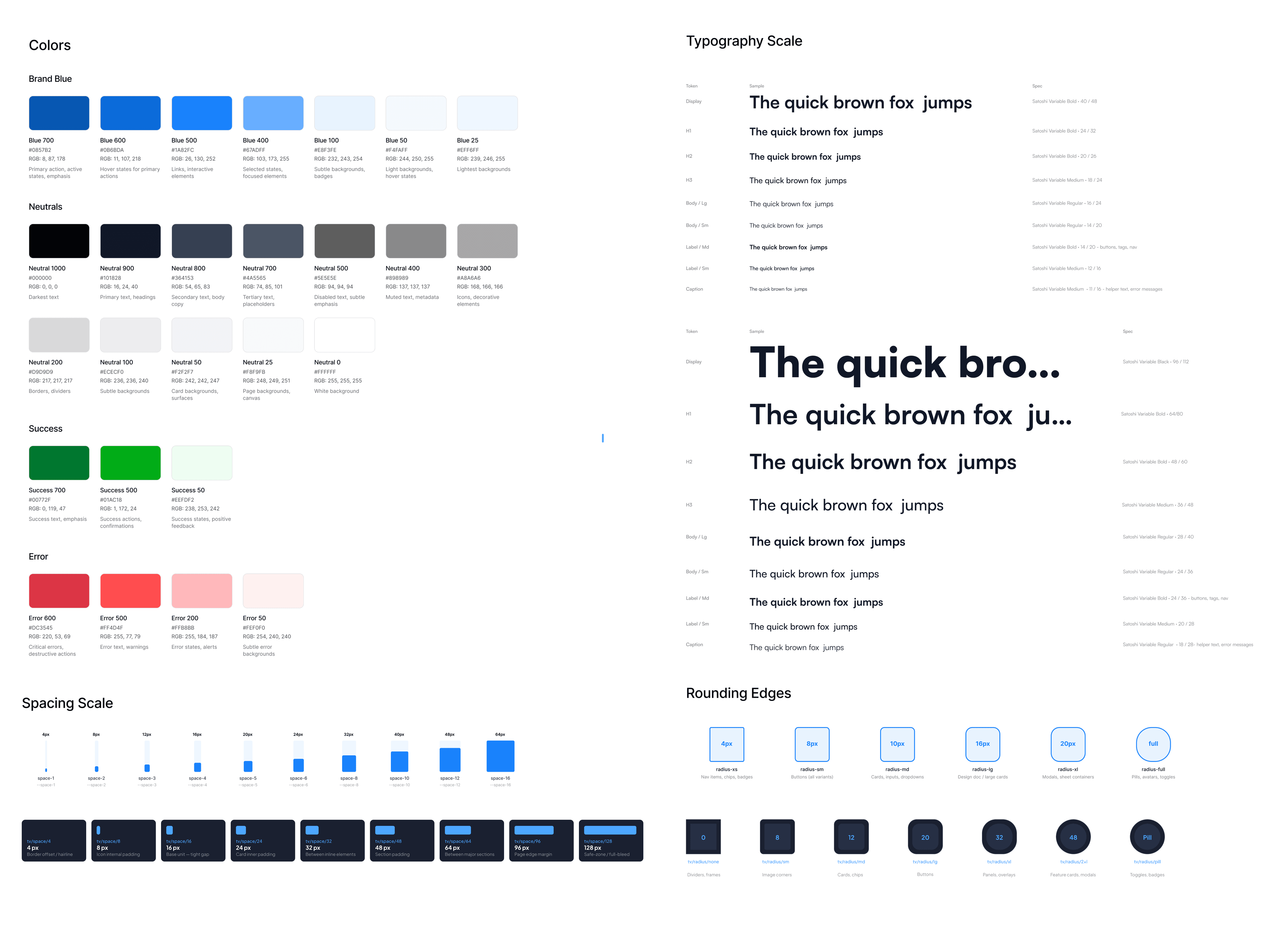
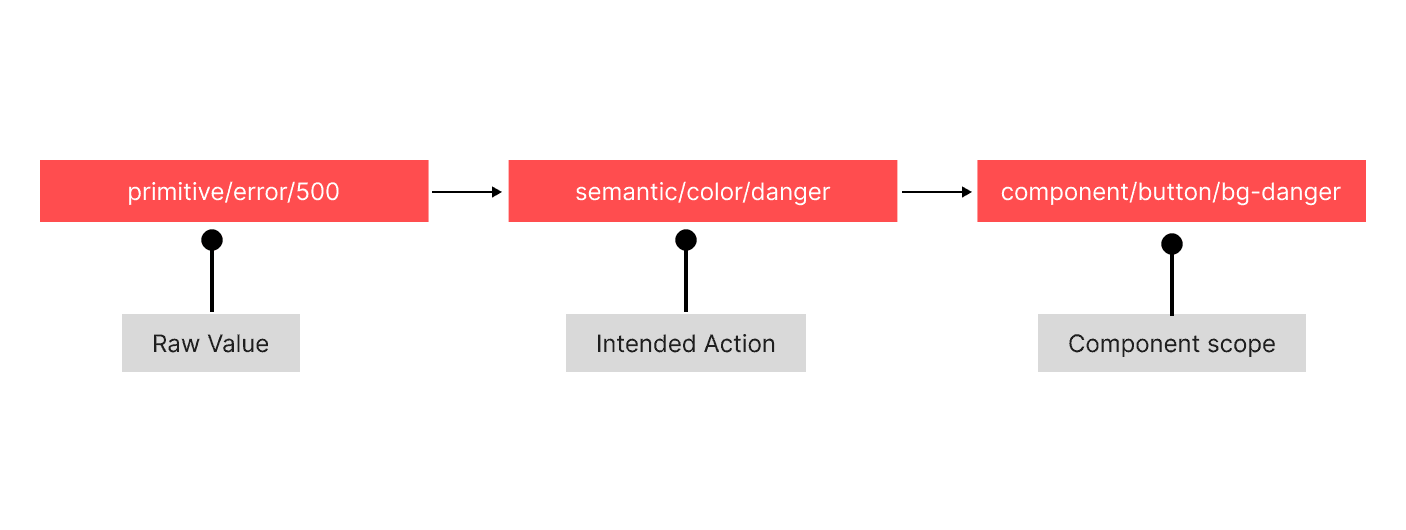
The foundation was fully tokenized and labeled with intent, so engineers always knew what a token was for. Semantics were named by use case, keeping handoff fluid as the product grew. Component-level tokens were created by asking: if I need to change this value, do I want it to affect only this component, or every place this semantic concept appears? Only this component meant a new token; everywhere meant referencing the semantic token directly, keeping the system predictable rather than over-tokenized.
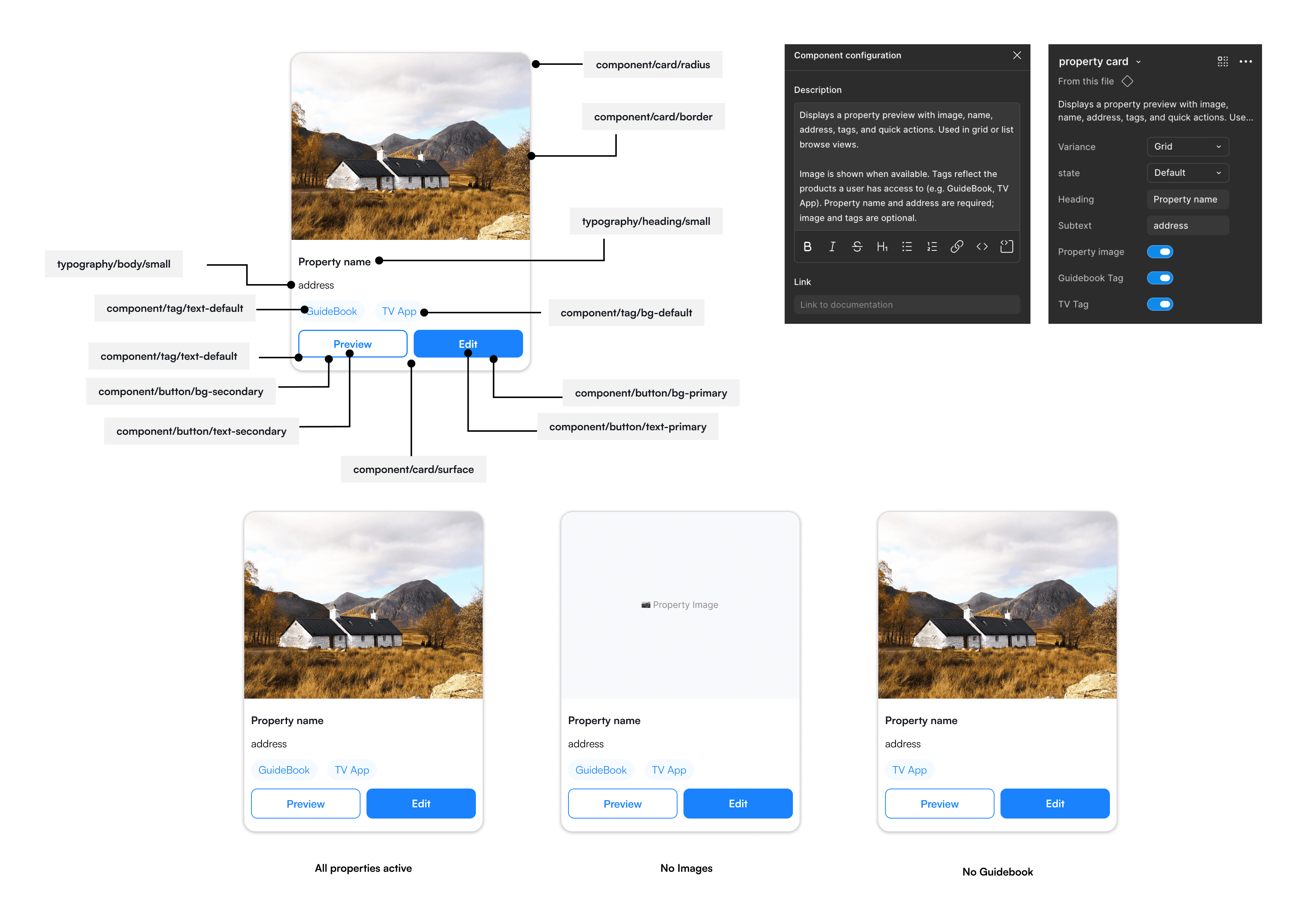
The property card shows this in practice, built entirely from semantic and component tokens, with optional elements controlled through toggles rather than separate builds.
/Outcome
WelcomeScreen went from nothing to 4,500 properties and over a million guests a year, in eighteen months. The reference point was the hotel TV, but a hotel has a front desk and a rental has nobody in the building. What we built was the operator's presence in a place they aren't.
The analytics dashboard shipped and came out again. It was built on an assumption I never examined, that hosts wanted visibility into their own performance, when what it actually did was tell someone their property sat empty for nine days inside the product they were paying for. Conversion and retention both moved the wrong way that month, so I recommended pulling it.
/Reflection
WelcomeScreen taught me that designing for two users means sometimes protecting one from the other. Hosts wanted more, more customization, more content, more control over every screen. But every addition had a cost on the other side. A guest arriving at a new property doesn't need a dense, heavily branded TV interface. They need clarity.
The hardest design decisions weren't about aesthetics or features. They were about drawing the line between what hosts wanted to express and what guests actually needed to see.